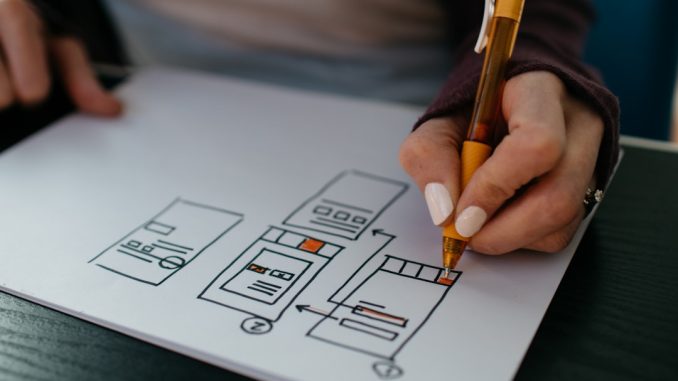
When we consider the purpose of our homepage, it becomes clear that it serves as the digital front door to our online presence. This is the first impression visitors will have of our brand, and it is crucial that we convey our message effectively. Our homepage should not only reflect our identity but also engage visitors and guide them towards taking action.
It is essential to understand that the homepage is not merely a collection of images and text; it is a strategic tool designed to communicate our values, showcase our offerings, and ultimately drive conversions. Moreover, we must recognise that the homepage plays a pivotal role in establishing trust and credibility. Visitors often make snap judgments about a website within seconds of landing on it.
Therefore, we need to ensure that our homepage is visually appealing, easy to navigate, and informative. By clearly articulating our purpose and what sets us apart from competitors, we can create a welcoming environment that encourages users to explore further. In essence, our homepage should serve as a compelling introduction to our brand, inviting visitors to delve deeper into what we have to offer.
Summary
- Your homepage should clearly communicate the purpose and value of your website to visitors.
- Choose images and graphics that are relevant to your brand and resonate with your target audience.
- Select a colour scheme that reflects your brand identity and creates a visually appealing experience for users.
- Organise your content in a way that prioritises important information and guides users towards key actions.
- Create a navigation system that is easy to use and helps users find what they are looking for quickly.
Choosing the Right Images and Graphics
Enhancing the Message with Visuals
Whether we opt for photographs, illustrations, or infographics, it is vital that these visuals enhance our message rather than distract from it. In addition to aesthetics, we should also consider the functionality of the images we choose. For instance, using images that are relevant to our content can help reinforce our message and provide context.
Optimising Graphics for Performance
Furthermore, we should ensure that our graphics are optimised for fast loading times, as slow-loading images can lead to high bounce rates. By striking the right balance between visual appeal and functionality, we can create a homepage that captivates visitors and encourages them to engage with our content.
Creating a Captivating Homepage
Ultimately, the key to a successful homepage is finding the perfect balance between visual appeal and functionality. By choosing high-quality images that resonate with our target audience and optimising them for fast loading times, we can create a homepage that truly engages visitors and encourages them to explore our site further.
Selecting the Best Colour Scheme

The colour scheme we select for our homepage plays a significant role in shaping the overall user experience. Colours can evoke specific emotions and associations, which is why it is essential for us to choose a palette that reflects our brand’s personality and values. For instance, warm colours like red and orange can create a sense of urgency or excitement, while cooler tones like blue and green can convey calmness and trustworthiness.
By understanding the psychological impact of colours, we can make informed decisions that enhance our brand image. Moreover, consistency in our colour scheme is crucial for creating a cohesive look across our website. We should aim to use a limited palette that complements our logo and other branding elements.
This not only helps in establishing brand recognition but also ensures that our homepage remains visually appealing without overwhelming visitors. By carefully selecting and applying colours throughout our design, we can create an inviting atmosphere that encourages users to explore further.
Organising Content for Maximum Impact
| Content Organisation | Impact |
|---|---|
| Clear Hierarchy | Enhanced readability and understanding |
| Logical Grouping | Improved navigation and user experience |
| Consistent Formatting | Professional and polished presentation |
| Visual Elements | Increased engagement and retention |
The organisation of content on our homepage is paramount in ensuring that visitors can easily find the information they seek. We must prioritise clarity and simplicity in our layout, presenting key messages prominently while avoiding clutter. By strategically placing important elements such as headlines, subheadings, and calls-to-action, we can guide users through the content in a logical manner.
This not only enhances user experience but also increases the likelihood of conversions. In addition to layout considerations, we should also think about the hierarchy of information on our homepage. We need to identify what content is most important for our audience and present it in a way that captures their attention.
For example, using larger fonts for headlines or incorporating eye-catching visuals can help draw focus to essential messages. By thoughtfully organising our content, we can create a homepage that effectively communicates our value proposition and encourages users to take action.
Creating an Intuitive Navigation
An intuitive navigation system is essential for guiding visitors through our website seamlessly. We must ensure that users can easily find their way around without feeling overwhelmed or confused. A well-structured navigation menu should be clear and concise, with labels that accurately describe the content they lead to.
By keeping the number of menu items manageable, we can prevent cognitive overload and enhance user experience. Furthermore, we should consider implementing breadcrumb navigation or search functionality to further assist users in finding specific information. This added layer of support can be particularly beneficial for larger websites with extensive content.
By prioritising intuitive navigation, we can create a user-friendly environment that encourages exploration and keeps visitors engaged with our site.
Incorporating Call-to-Action Buttons

Call-to-action (CTA) buttons are vital components of our homepage design, as they guide users towards taking specific actions that align with our goals. Whether we want visitors to sign up for a newsletter, make a purchase, or request more information, strategically placed CTAs can significantly influence user behaviour. We must ensure that these buttons are visually distinct and clearly communicate the desired action.
In addition to visibility, the wording of our CTAs is equally important. We should use action-oriented language that creates a sense of urgency or excitement. Phrases like “Get Started,” “Join Now,” or “Discover More” can motivate users to click through and engage with our offerings.
By thoughtfully incorporating CTAs into our homepage design, we can effectively drive conversions and achieve our business objectives.
Optimising for Mobile Responsiveness
In today’s digital landscape, optimising our homepage for mobile responsiveness is no longer optional; it is essential. With an increasing number of users accessing websites via smartphones and tablets, we must ensure that our design adapts seamlessly to various screen sizes. A mobile-responsive homepage not only enhances user experience but also improves search engine rankings, as search engines prioritise mobile-friendly sites.
To achieve mobile responsiveness, we should adopt a flexible layout that adjusts elements based on screen size. This may involve using responsive design techniques such as fluid grids and media queries. Additionally, we must ensure that images and text remain legible on smaller screens without requiring excessive zooming or scrolling.
By prioritising mobile optimisation, we can reach a broader audience and provide an enjoyable browsing experience for all users.
Testing and Refining Your Design
Once we have implemented our homepage design, it is crucial for us to engage in testing and refining processes to ensure its effectiveness. User testing allows us to gather valuable feedback from real visitors about their experiences navigating our site. By observing how users interact with various elements of the homepage, we can identify areas for improvement and make informed adjustments.
Moreover, we should consider employing A/B testing to compare different versions of our homepage against one another. This method enables us to assess which design elements resonate most with our audience and drive higher engagement rates. By continuously testing and refining our design based on user feedback and data analysis, we can create an optimised homepage that meets the needs of our visitors while achieving our business goals.
In conclusion, designing an effective homepage requires careful consideration of various elements including purpose, visuals, colour schemes, content organisation, navigation, CTAs, mobile responsiveness, and ongoing testing. By approaching each aspect thoughtfully and strategically, we can create a compelling online presence that not only attracts visitors but also converts them into loyal customers. As we continue to refine our design based on user feedback and industry best practices, we will be well-equipped to adapt to changing trends and maintain a strong digital footprint in an ever-evolving landscape.
If you are looking to enhance your homepage design skills, you may find the article “Businessman’s Web Design Guide” to be a valuable resource. This guide offers practical tips and strategies for creating a visually appealing and user-friendly homepage that effectively showcases your brand and products. Additionally, you may also be interested in learning about the latest updates in web technology, such as the implementation of HTTP/2. Check out the article here to stay informed on the latest advancements in web design.
FAQs
What is a homepage design tutorial?
A homepage design tutorial is a step-by-step guide that provides instructions and tips for creating an effective and visually appealing homepage for a website.
Why is a homepage design important?
The homepage is often the first page that visitors see when they land on a website. It serves as a virtual front door and can make a significant impact on the user experience and overall impression of the website.
What are some key elements of a homepage design tutorial?
Key elements of a homepage design tutorial may include guidance on layout, navigation, visual hierarchy, use of images and graphics, colour scheme, typography, and call-to-action buttons.
What are some best practices for homepage design?
Best practices for homepage design include keeping the design clean and uncluttered, ensuring easy navigation, using high-quality images, incorporating clear and concise messaging, and making sure the page is mobile-responsive.
Are there any tools or software recommended for homepage design?
There are various tools and software available for homepage design, including website builders like Wix, Squarespace, and WordPress, as well as graphic design tools like Adobe Photoshop and Canva.
How can I learn more about homepage design?
In addition to tutorials, there are online courses, books, and resources available that can provide in-depth knowledge and practical skills for homepage design. It can also be helpful to study and analyse well-designed homepages of other websites for inspiration and ideas.
