
The Importance of Regular Website Maintenance for Small Businesses
In today’s digital landscape, a small business’s website is often the first point of contact for potential customers. It’s the shining beacon of your online presence, the shop window that’s open 24/7. However, just like a physical shop needs dusting, ordering, and occasional repairs, your website requires consistent attention to remain effective. Neglecting your website maintenance is akin to leaving your physical storefront untended – it quickly becomes uninviting, inefficient, and ultimately, detrimental to your business.
For small businesses, where resources can be stretched thin, the idea of adding “website maintenance” to an already packed to-do list might seem like a luxury they can’t afford. But the reality is, it’s a necessity, not an indulgence. This article will explore why regular website maintenance is crucial for your small business’s success, covering everything from security and performance to user experience and search engine visibility.
In an age where cyber threats are increasingly sophisticated, website security for small businesses is no longer an optional extra; it’s a foundational requirement. A security breach can have devastating consequences, leading to data loss, reputational damage, and significant financial penalties. Regular maintenance is your primary defence mechanism against these threats.
Understanding Common Website Vulnerabilities
Your website, like any digital platform, is susceptible to various security risks. Ignoring these vulnerabilities is like leaving your front door unlocked.
Malware and Viruses
Malicious software, or malware, can infect your website in numerous ways, often through outdated plugins or themes. Once embedded, it can steal sensitive information, redirect users to fraudulent sites, or even take your entire website offline. Regular security scans and updates are essential to identify and remove any hidden threats.
Phishing Attacks
While phishing often targets individuals, compromised websites can be used as a conduit to launch phishing attacks against your customers or to trick visitors into revealing personal details. A secure website minimises the risk of it being used for such nefarious purposes.
Insecure Login Credentials
Weak passwords or the failure to implement two-factor authentication for your website’s admin panel can provide a direct entry point for hackers. Regular reviews of user accounts and password policies are a vital part of maintaining security.
The Defence of Updates and Patches
Software, including your website’s content management system (CMS), themes, and plugins, are constantly being updated by their developers. These updates aren’t just for new features; they are primarily for patching security holes that have been discovered.
CMS Core Updates
Platforms like WordPress, Joomla, and Drupal are prime examples. Their core systems are regularly updated to address security vulnerabilities. Failing to apply these updates leaves your website exposed to known exploits.
Plugin and Theme Updates
While perhaps less critical than CMS core updates, plugins and themes often carry their own security risks. A single outdated plugin can be the weakest link in your website’s security chain, allowing attackers to gain access.
Backups: Your Digital Safety Net
In the unfortunate event of a security breach or a catastrophic error, having regular, reliable backups of your website is absolutely paramount. This allows you to restore your site to a previous, uncompromised state.
Frequency of Backups
The ideal frequency of backups depends on how often your website content changes. For most small businesses, daily or weekly backups are a sensible starting point. More dynamic sites might require more frequent backups.
Secure Storage of Backups
It’s not enough to simply create backups; they need to be stored securely, ideally off-site. If your backups are stored on the same server as your website, a server-wide breach could compromise both.
Regular website maintenance is crucial for small businesses to ensure optimal performance and security. An insightful article that complements this topic is titled “Do Mobile Apps Mean Websites Are Less Relevant?” which discusses the evolving landscape of digital presence and the importance of maintaining a robust online platform. You can read more about it by visiting this link. This resource highlights how consistent updates and maintenance can keep a website relevant in a mobile-centric world.
Ensuring a Smooth User Experience: Performance and Speed
Website speed is no longer a nice-to-have; it’s a fundamental component of user experience and a significant factor in search engine rankings. A slow-loading website frustrates visitors, leading to higher bounce rates and lost opportunities. Regular maintenance helps ensure your website performs at its best.
The Impact of Speed on User Behaviour
Visitors to your website expect information quickly. If your pages take too long to load, they are likely to click away and seek out a competitor. This is particularly true for mobile users, who often have less stable internet connections.
Bounce Rates and User Retention
A high bounce rate indicates that visitors are leaving your site after viewing only one page. Slow loading times are a major contributor to this. Conversely, a speedy website encourages users to explore more of your offerings, increasing engagement and potential conversions.
Conversion Rates
Whether your goal is to generate leads, sell products, or encourage sign-ups, website speed directly impacts your conversion rates. If your checkout process is sluggish, for example, potential customers are more likely to abandon their carts.
Optimising for Speed Through Maintenance
Several aspects of website maintenance directly influence its loading speed. Proactive attention to these areas can yield significant improvements.
Image Optimisation
Large, unoptimised image files are a common culprit for slow websites. Regular maintenance should involve compressing images without sacrificing visual quality and ensuring they are served in appropriate formats (e.g., WebP).
Caching Strategies
Caching stores frequently accessed website data, so it can be served more quickly on subsequent visits. Implementing and regularly clearing your website’s cache is a straightforward yet effective speed optimisation technique.
Plugin and Theme Performance
Just as outdated plugins can be a security risk, poorly coded or resource-intensive ones can significantly slow down your website. Regular reviews of your installed plugins and themes can help identify and remove or replace underperforming elements.
Staying Relevant and Appealing: Content and Design Updates
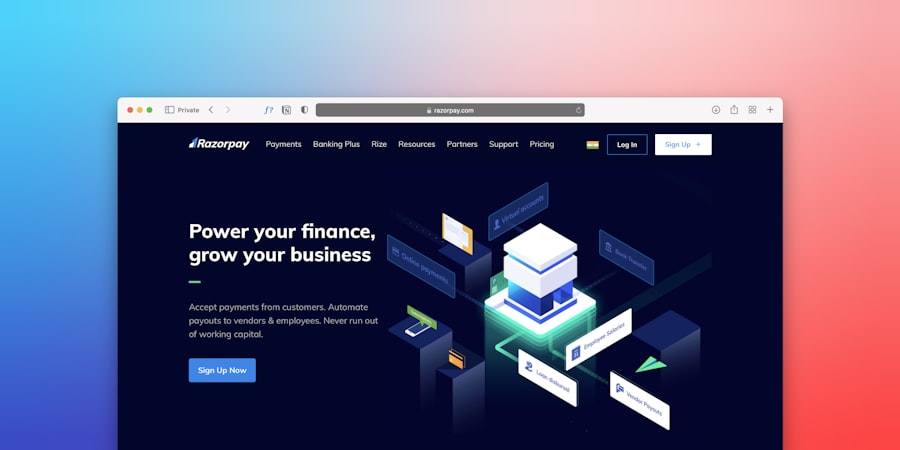
Your website is a living entity, and its content and design should reflect the evolution of your business and the changing preferences of your audience. Stagnant websites can appear outdated and uninspired, failing to capture the attention of potential customers.
The Freshness Factor in User Engagement
Users are drawn to websites that appear current and actively managed. This doesn’t mean a complete redesign every few months, but rather incorporating fresh content and modern design elements.
Demonstrating an Active Business
Regularly updating your blog, adding new case studies, or refreshing product descriptions signals to visitors that your business is active and engaged. This can build trust and encourage them to delve deeper.
Adapting to User Expectations
Web design trends evolve. What was considered cutting-edge a few years ago might now look dated. Small, incremental design updates can help keep your website looking professional and relevant without requiring a complete overhaul.
Implementing Content and Design Maintenance
Several practical steps fall under content and design maintenance.
Blog and News Section Updates
A blog is an excellent tool for SEO and for engaging your audience. Regularly publishing new articles, updating older ones with fresh information, and ensuring your categories and tags are organised is vital.
Portfolio and Case Study Refresh
If your business showcases its work through a portfolio or case studies, ensure these are kept up-to-date with your latest projects. Remove older, less relevant examples.
Reviewing and Updating Key Pages
Pages such as your “About Us,” “Services,” and “Contact Us” pages should be reviewed at least annually. Ensure all information is accurate, contact details are correct, and the messaging aligns with your current business offerings.
Climbing the Search Engine Ranks: SEO and Visibility

Search engine optimisation (SEO) is a continuous process, and website maintenance plays a significant role in its effectiveness. Ignoring maintenance can lead to a decline in search engine rankings, making it harder for potential customers to find you.
The Link Between Maintenance and Search Engine Algorithms
Search engines like Google favour websites that are well-maintained, provide a good user experience, and are technically sound. Neglecting these aspects can negatively impact your search visibility.
Technical SEO Health
Search engines crawl your website to understand its content and structure. A well-maintained website with clean code, fast loading times, and proper navigation is more easily understood by these algorithms, leading to better indexing.
Mobile-Friendliness
With the majority of internet traffic now coming from mobile devices, having a mobile-responsive website is non-negotiable. Regular checks ensure your site continues to display correctly on all screen sizes.
SEO-Focused Maintenance Tasks
Several ongoing maintenance activities directly contribute to your SEO performance.
Keyword Research and Content Integration
While not strictly “maintenance” in the traditional sense, regularly reviewing your keyword performance and integrating relevant new keywords into your content strategy is crucial for sustained SEO success. This can involve updating older blog posts to incorporate new search terms.
Link Building and Broken Link Checks
Broken links (both internal and external) are a negative signal to search engines and frustrate users. Regularly checking for and fixing broken links is a fundamental SEO maintenance task. Furthermore, actively seeking and building new, quality backlinks is a proactive SEO strategy.
Meta Descriptions and Title Tags
Ensuring your meta descriptions and title tags are compelling, accurate, and include relevant keywords is vital for attracting clicks from search engine results pages (SERPs). These should be reviewed periodically to reflect any changes in your offerings or keyword focus.
Regular website maintenance is crucial for small businesses to ensure optimal performance and user experience. An insightful article that complements this topic is available, highlighting essential web design principles that can significantly enhance a site’s effectiveness. By understanding these principles, small business owners can make informed decisions about their website’s upkeep and design. For more information, you can read the article on unforgettable web design principles.
Avoiding Costly Emergencies: Proactive Problem Solving
Think of website maintenance as preventative healthcare for your digital asset. By addressing minor issues before they escalate, you can save significant time, money, and stress in the long run. Ignoring problems often leads to more complex and expensive repairs.
The Cost of Neglect
Letting your website fall into disrepair can have a ripple effect of negative consequences.
Emergency Repairs vs. Planned Updates
Attempting to fix a major website failure often requires immediate, costly intervention. Planned, regular maintenance, on the other hand, allows for scheduled updates and fixes during business hours, often at a more manageable cost.
Loss of Business and Revenue
A website that is down, slow, or insecure directly translates to lost potential customers and lost revenue. The longer these issues persist, the greater the impact on your bottom line.
The Value of Consistent Monitoring
Regular checks and monitoring are key to identifying and addressing potential problems early.
Website Uptime Monitoring
Utilising uptime monitoring tools ensures you are immediately alerted if your website goes offline. This allows for rapid investigation and resolution, minimising downtime.
Error Log Analysis
Website error logs can provide valuable insights into technical issues that might be occurring behind the scenes. Regular analysis can help identify and fix minor bugs before they contribute to larger problems.
User Feedback and Bug Reporting
Encourage your customers to provide feedback about their website experience. This can highlight usability issues or bugs that you might not have discovered otherwise. Setting up a clear channel for bug reporting is beneficial.
In conclusion, regular website maintenance is not a tedious chore to be postponed; it’s a critical investment in the health, security, and ongoing success of your small business. By dedicating time and resources to these essential tasks, you ensure your website remains a powerful tool for attracting and engaging customers, a strong representation of your brand, and a reliable contributor to your business growth. Treat your website with the care it deserves, and it will, in turn, serve your business effectively for years to come.
FAQs
What is website maintenance for small businesses?
Website maintenance for small businesses involves regularly updating, monitoring, and managing a website to ensure it remains functional, secure, and up-to-date with the latest content and features.
Why is regular website maintenance important for small businesses?
Regular website maintenance is important for small businesses to ensure their website remains secure, performs well, and provides a positive user experience. It also helps in keeping the website up-to-date with the latest information and technology.
What are the benefits of regular website maintenance for small businesses?
The benefits of regular website maintenance for small businesses include improved security, better user experience, higher search engine rankings, increased website performance, and the ability to stay competitive in the online market.
What are some common website maintenance tasks for small businesses?
Common website maintenance tasks for small businesses include updating content, checking for broken links, monitoring website performance, backing up data, installing security updates, and testing website functionality.
How often should small businesses perform website maintenance?
Small businesses should perform website maintenance on a regular basis, ideally at least once a month. However, the frequency of maintenance tasks may vary depending on the size and complexity of the website, as well as the nature of the business.
