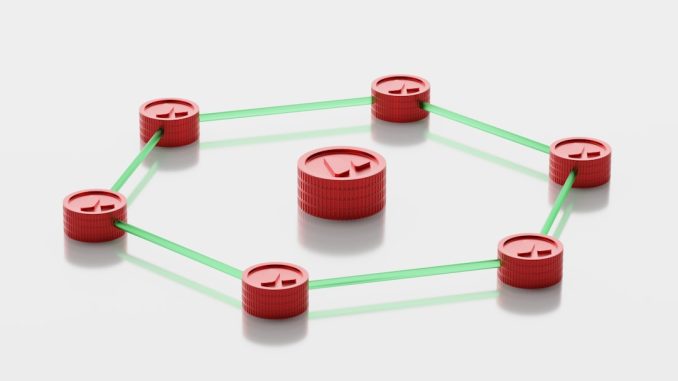
Alright chaps, let’s have a natter about something often overlooked in the grand scheme of SEO: internal linking. We all spend a good deal of time fretting over backlinks, keyword research, and delightful content, but how often do we truly pause to consider the intricate web we’re spinning within our own websites? As a UK-based SEO bod, I can tell you it’s a foundational element, frequently underestimated, yet incredibly powerful for improving your search engine rankings.
Why Internal Linking Isn’t Just ‘Nice to Have’
Think of your website as a sprawling library. Without a well-organised catalogue and clear pathways between sections, finding anything specific would be a nightmare for any visitor, let alone a diligent librarian (which, in this analogy, is our beloved Googlebot). Internal links are those critical pathways, the signposts and the cross-referencing that guide both users and search engines through your valuable content.
Before we dive into the nitty-gritty, let’s solidify our understanding of what internal links actually are and why they matter so much.
What Exactly Are Internal Links?
Simply put, an internal link is a hyperlink that points from one page on the same domain to another page on the same domain. This contrasts with external links, which point to a different domain. They can be contextual, appearing within the body of your content, or navigational, found in menus, footers, and sidebars.
The Core Benefits for SEO
Internal links are not just there for user convenience. They offer several distinct advantages for your SEO efforts:
Spreading Link Equity (Link Juice)
This is a big one. When external domains link to your website, they pass on “link equity” or “link juice.” Internal links allow you to distribute this valuable equity throughout your site. If your homepage is a highly authoritative page with many external backlinks, strategically linking from your homepage to other important internal pages can help boost the authority of those inner pages. It’s like having a well-funded central bank distributing funds to various branches; the entire network benefits.
Boosting Page Authority for Deeper Pages
Many websites have a strong homepage but struggle to get deeper pages, like specific product pages or blog posts, to rank well. Internal links are a fantastic way to pass authority from your stronger pages to these more obscure, yet important, ones. Without this internal connection, these pages might languish in obscurity, effectively becoming digital dead ends for search engines.
Improving User Experience and Engagement
Good internal linking encourages users to explore more of your website. If a user lands on a blog post about ‘Garden Shed Maintenance’ and you have a clear, relevant internal link to a product page for ‘Waterproof Shed Covers,’ they’re more likely to click through. This not only keeps them on your site longer (a positive signal for search engines) but also helps them find what they’re looking for, ultimately improving their experience.
Helping Search Engines Discover and Index Content
Search engine crawlers (like Googlebot) follow links to discover new and updated content on your site. A robust internal linking structure ensures that no page is left isolated, making it easier for crawlers to navigate your entire website, understand its structure, and index all your valuable content. If a page has no internal links pointing to it, it’s often referred to as an ‘orphan page’ and is very difficult for search engines to find.
In addition to understanding the role of internal linking in enhancing SEO rankings, it is equally important for website owners to consider the implications of data protection regulations. A related article that provides valuable insights on this topic is Ensuring GDPR Compliance for UK Websites, which discusses the necessity of adhering to GDPR guidelines while optimising your online presence. This ensures that not only are your SEO strategies effective, but they also respect user privacy and legal requirements.
Section 2: Crafting Your Internal Linking Strategy
Now that we understand the ‘why,’ let’s delve into the ‘how.’ A haphazard approach won’t cut it. We need a well-thought-out strategy.
Identifying Your Pillar Content
Before you start haphazardly linking, identify your “pillar content.” These are your cornerstone articles, comprehensive guides, or primary product/service pages that cover a broad topic in depth. They are often longer-form pieces that are central to your website’s purpose.
Establishing Content Clusters
Once you have your pillar content, you can then build “content clusters” around them. These are supporting articles, blog posts, or sub-pages that delve into specific aspects of the broader pillar topic. For example, if your pillar content is “The Ultimate Guide to Digital Marketing,” supporting clusters might include articles on “SEO Best Practices,” “Pay-Per-Click Advertising Fundamentals,” and “Social Media Strategy for Small Businesses.”
Strategic Use of Anchor Text
Anchor text is the visible, clickable text in a hyperlink. This is incredibly important for internal links.
Descriptive Anchor Text
Avoid generic anchor text like “click here” or “read more.” Instead, use descriptive anchor text that accurately reflects the content of the linked-to page. For example, instead of “Click here to learn about SEO,” use “discover effective SEO strategies.” This helps both users and search engines understand what they’ll find on the other side of the link.
Keyword-Rich Anchor Text (Don’t Overdo It!)
While using keywords in your anchor text is beneficial, it’s crucial not to over-optimise or stuff keywords. Google is smart enough to understand context. Using a variety of related keywords and natural language is far more effective than forcing the exact same keyword every time. Think about relevance and natural flow above all else.
The Role of Contextual Links
Contextual links, those embedded within the body of your content, are arguably the most powerful type of internal link.
Relevance Reigns Supreme
Only link contextually when it genuinely adds value to the reader and is relevant to the content they are currently consuming. Don’t force links just for the sake of it. A natural, helpful link is far more impactful than a desperate one.
Guiding the User Journey
Contextual links can gently nudge users deeper into your site, answering related questions they might have or offering additional resources without them needing to actively search. This creates a more seamless and intuitive user journey.
Section 3: Mapping Your Site Structure for SEO Success
A well-planned site architecture is intrinsically linked to effective internal linking.
Hierarchical Site Structure
Most successful websites employ a hierarchical, or “pyramid,” structure. Your homepage sits at the top, followed by main category pages, then sub-category pages, and finally individual product or article pages at the bottom.
The Importance of Breadcrumbs
Breadcrumbs are a fantastic navigational aid that clearly show users (and search engines) where they are within your site’s hierarchy. For example: Home > Blog > SEO > Internal Linking. They simplify navigation and provide additional internal links with descriptive anchor text.
Avoiding Orphan Pages
As mentioned earlier, orphan pages are content assets with no internal links pointing to them. They’re effectively hidden from search engine crawlers and users.
Regular Audits for Orphan Pages
Incorporate regular internal link audits into your SEO routine. Tools like Screaming Frog SEO Spider, Ahrefs, or Semrush can quickly identify orphan pages that need to be integrated into your internal linking structure. Don’t let valuable content disappear into the digital abyss!
Section 4: Advanced Internal Linking Tactics
Once you’ve got the basics down, you can start exploring more sophisticated internal linking strategies.
Siloing Your Content
Siloing is an advanced internal linking strategy that involves creating distinct sections or “silos” of content around specific, closely related topics. Each silo essentially acts as its own mini-website within your larger domain.
How Siloing Works
You’d typically have a main category page (your pillar) with all internal links from that pillar pointing to supporting articles within that same silo. Critically, to maintain the silo, pages within one silo should ideally not link directly to pages in another unrelated silo. This helps search engines clearly understand the topical relevance of each section of your site, preventing “topic dilution” and enhancing the authority of individual silos for specific keywords.
The Power of Link Depth
Link depth refers to how many clicks it takes to reach a specific page from your homepage. Generally, the shallower your link depth (fewer clicks), the better.
The 3-Click Rule
A good rule of thumb is to try and ensure that any important page on your website can be reached within three clicks from the homepage. While not a hard and fast rule, it serves as a valuable guideline for optimising your internal linking structure for both user experience and crawlability. Deeply buried pages are less likely to be crawled regularly and will receive less link equity.
Internal Linking for SEO Pass-Through
Sometimes, you might have a page that you want to specifically boost, perhaps one that’s struggling to rank or is critically important for conversions.
Strategic Link Placement
Consider adding internal links from your highest-authority pages to these target pages. This could be from your homepage, a highly visited blog post, or a popular resource page. The closer the link is to your site’s most powerful pages, the more “pass-through” authority it can provide. However, remember that relevance is key; force-feeding links without context can appear unnatural.
Internal linking is a crucial aspect of search engine optimisation, as it helps to guide both users and search engines through a website’s content. For those interested in enhancing their understanding of how various elements can influence online visibility, a related article discusses the significance of colour in marketing and its impact on user engagement. You can read more about this fascinating topic by visiting the importance of colour in marketing. By integrating effective internal linking strategies alongside a keen awareness of visual elements, businesses can significantly improve their SEO rankings and overall user experience.
Section 5: Auditing and Maintaining Your Internal Links
Internal linking isn’t a “set it and forget it” task. It requires ongoing attention and refinement.
Regular Internal Link Audits
Just as your content evolves, so should your internal linking. New pages are added, old ones might become outdated or removed.
Identifying Broken Internal Links
Broken internal links (links pointing to pages that no longer exist) are a poor user experience and can waste crawl budget. Tools like Google Search Console (under “Coverage”), Ahrefs, Semrush, or Screaming Frog can help you identify and fix these quickly.
Evaluating Link Distribution
Review how link equity is distributed across your site. Are your most important pages receiving enough internal links from authoritative sources within your site? Are less important pages perhaps getting too much attention, diluting the impact on your key pages?
Adapting to Content Changes
As you create new content, remember to integrate it into your internal linking strategy from day one.
Linking to New Content from Old
When you publish a new blog post, go back to relevant, older articles and add internal links pointing to your new content. This immediately gives the new page some internal authority and helps search engines discover it faster.
Updating Old Content with New Links
Similarly, when you update existing content, seize the opportunity to add new internal links to relevant pages you’ve created since that content was originally published. This keeps your entire internal linking network fresh and relevant.
Monitoring Performance
Finally, keep an eye on how your internal linking efforts are impacting your SEO performance.
Tracking Page Rankings
Monitor the rankings of the pages you’re actively trying to boost with internal links. Are they improving?
Analysing User Behaviour
Use tools like Google Analytics to see if users are following your internal links. Are they clicking through to related content? Are bounce rates decreasing on key pages? This data provides valuable insights into the effectiveness of your strategy.
In conclusion, internal linking is far more than an afterthought; it’s a critical pillar of effective SEO. By consciously building a robust, relevant, and user-friendly internal linking structure, you’re not only helping search engines understand and rank your content better but also significantly enhancing the experience for your human visitors. So, roll up your sleeves, grab a cuppa, and start weaving that internal web with purpose!
FAQs
1. What is internal linking in SEO?
Internal linking in SEO refers to the practice of linking one page of a website to another page within the same website. These links help search engines understand the structure and hierarchy of a website, and they also help users navigate between different pages.
2. How does internal linking improve SEO rankings?
Internal linking improves SEO rankings by spreading link equity (also known as link juice) throughout the website, which helps search engines discover and index new pages. It also helps to establish a hierarchy of importance for the pages on the website, and can improve the user experience by guiding visitors to relevant content.
3. What are the best practices for internal linking in SEO?
Best practices for internal linking in SEO include using descriptive anchor text, linking to relevant and related content, and ensuring a logical and hierarchical structure for the links. It’s also important to avoid over-optimizing with excessive internal links, and to regularly audit and update internal links as the website evolves.
4. How many internal links should a page have for optimal SEO benefit?
There is no specific number of internal links that a page should have for optimal SEO benefit, as it depends on the size and structure of the website. However, it’s important to focus on quality over quantity, and to ensure that the internal links are relevant and provide value to the user.
5. Can internal linking improve user experience on a website?
Yes, internal linking can improve user experience on a website by guiding visitors to related and relevant content, making it easier for them to navigate the website and find the information they are looking for. This can lead to increased engagement and a lower bounce rate, which are positive signals for SEO.
